
Disgrifiad
Login Page Customizer and Designer – Beautiful Login Page Builder for WordPress
Design a beautiful, branded WordPress login page in minutes — no coding required. Templates, animations, CAPTCHA protection, and full layout control, all built in.
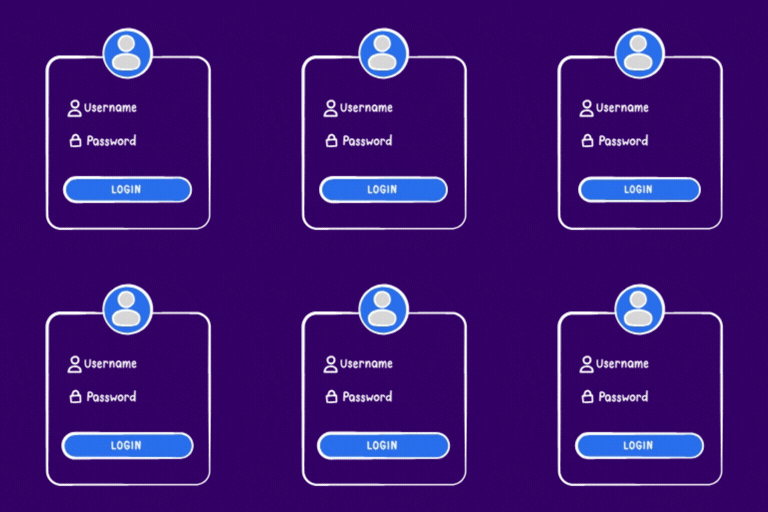
Your WordPress login page is the first thing your clients, team members, and customers see. Login Page Customizer and Designer transforms the plain default wp-login.php into a fully branded, professional experience — with zero code.
Pick a template, customize colors, fonts, and animations, then go live in minutes. Whether you run a SaaS platform, an agency, or a membership site, this plugin gives you complete visual control over your login page without touching a single line of code.
Most login page plugins give you a form and call it a day. Login Page Customizer and Designer gives you a full visual design system — block-based layout builder, entrance animations, shadow presets, background options, and a growing template library. PRO users get enterprise-grade security features like CAPTCHA protection, custom login URLs, and advanced redirect flows — everything you need to protect and polish your login experience.
✅ Free Features
🎨 Design & Customization
* Template Library — Get started instantly with 2 professionally designed templates: Light Centered and Dark Centered.
* Layout Modes — Choose from 3 layout types: Centered, Split Left, and Split Right to match your site structure.
* Core Blocks — Build your login page using 6 essential blocks: Logo, Heading, Paragraph, Divider, Login Form, and Custom HTML.
* Flexible Styling — Full control over colors, fonts, border radius, padding, and spacing for pixel-perfect results.
* Box Shadow Presets — Instantly apply Soft, Medium, or Strong shadow presets to your login card with a single click.
* Entrance Animations — Add polished Fade In, Slide Up, or Zoom In animations to make your login form feel alive and modern.
* Background Options — Set any Solid Color, Gradient, or Image as your login page background.
* Global Custom CSS — Drop in your own CSS for unlimited design flexibility beyond the built-in controls.
⚙️ Plugin Management
* One-Click Toggle — Enable or disable the customizer instantly without losing any of your settings.
* Custom Page Title & Favicon — Set a custom browser tab title and favicon specifically for the login page, keeping your brand consistent.
* Back to Blog Link — Customize the “Back to Site” link text and destination URL to match your brand voice.
* Custom Error Messages — Replace the generic WordPress login error messages with your own friendly, branded copy.
* Import / Export — Easily move your full template and settings between sites with one-click import and export.
⭐ PRO Features
🛡️ Security
* Premium Template Library — Unlock 19+ high-end templates including Glassmorphism, Midnight, Cyberpunk, and more — all professionally designed and ready to use.
* CAPTCHA Protection — Defend against bots and brute-force attacks with built-in support for Google reCAPTCHA v2 & v3, hCaptcha, and Cloudflare Turnstile.
* Custom Login URL — Replace the default /wp-login.php with a custom slug (e.g., yoursite.com/my-login) to hide your login page from automated scanners and bots.
🔀 Advanced Redirects
* Redirect users to the Homepage or any Custom URL after a successful login.
* Redirect users to the Homepage or any Custom URL after a successful registration.
🛒 WooCommerce Integration
* WooCommerce Support — Automatically apply your custom login design to the WooCommerce My Account login and registration page — no extra configuration needed.
🎨 Advanced Design
* Video Backgrounds — Set a looping video as your login page background for a cinematic, high-impact look.
* Animated Gradient Backgrounds — Apply smooth, flowing gradient animations to add life and energy to your login page.
* Custom Box Shadows — Go beyond presets with precise control over X/Y offsets, blur radius, and spread for fully custom shadow effects.
* Custom JavaScript — Inject JS code into the head or before the closing body tag for tracking pixels, analytics events, or any custom behavior.
Developer Instructions
This plugin uses WordPress scripts (@wordpress/scripts) to compile React-based editor and settings UIs.
To rebuild the JavaScript and CSS assets from the source files in src/:
- Make sure you have Node.js (v16+) installed.
- Run
npm installto install dependencies. - Run
npm run buildto compile production assets into thebuild/directory. - For development mode with live rebuild, run
npm run start.
Note: The node_modules/ directory is excluded from the plugin distribution. All other source files (src/, package.json, webpack.config.js) are included.
Lluniau Sgrin

Overview Dashboard. 
Template Gallery. 
Template Editor. 
Settings page. 
Settings page — Security tab. 
Special template pro. 
Template preview. 
Template preview 
Template preview
Gosod
- Upload the plugin folder to
/wp-content/plugins/. - Activate through the Plugins screen.
- Go to LoginCraft Editor to pick a template and start customizing.
Cwestiynau Cyffredin
-
Is Login Page Customizer and Designer free?
-
Yes! The plugin is completely free to download and use. The free version includes 2 templates, 3 layout modes, 6 core blocks, entrance animations, background options, box shadow presets, and full styling control — no payment required. PRO unlocks advanced templates, CAPTCHA, custom login URL, WooCommerce integration, video backgrounds, and more.
-
Do I need to know how to code to use this plugin?
-
Not at all. The entire plugin is built for non-developers. You pick a template, adjust colors, fonts, and layout using simple controls, and your login page updates instantly. No coding, no CSS, no PHP required — unless you want to add custom CSS, which is also available as an optional free feature.
-
Can I use my own colors and fonts?
-
Yes. The free version gives you full control over colors, fonts, border radius, padding, and spacing. You can also add your own CSS using the Global Custom CSS field for anything beyond the built-in controls.
-
Can I add my logo to the login page?
-
Yes. The free Logo block lets you place your site logo anywhere on the login page layout. Simply add the Logo block and upload or select your image.
-
Can I change the error messages shown on the login page?
-
Yes, this is a free feature. You can edit all default WordPress login error messages and replace them with your own custom, branded text.
-
Can I add animations to the login form?
-
Yes, for free. Choose from three entrance animations — Fade In, Slide Up, or Zoom In — to give your login page a polished, modern feel.
-
Can I set a custom background for my login page?
-
Yes. The free version supports Solid Colors, Gradients, and Image backgrounds. PRO users also get Video Backgrounds and Animated Gradient Backgrounds for a more dynamic look.
-
Can I move my design to another website?
-
Yes. The free Import / Export feature lets you export your complete template and settings as a file and import it on any other site running the plugin — no reconfiguration needed.
-
Can I set a custom browser tab title for the login page?
-
Yes, this is a free feature. You can set a custom page title and favicon specifically for your login page without affecting the rest of your site.
-
Will this plugin slow down my website?
-
No. Login Page Customizer and Designer only loads its assets on the login page itself. Your front-end site performance is completely unaffected — zero overhead for your visitors.
-
Does it work with my theme?
-
Yes. The plugin operates independently of your WordPress theme. It completely replaces the default login page rendering, so theme compatibility is never an issue.
-
Does it work with WooCommerce?
-
Yes, with PRO. When WooCommerce Support is enabled, your custom login design is automatically applied to the WooCommerce My Account login and registration page, keeping your branding fully consistent.
-
What happens if I deactivate the plugin?
-
Everything returns to the default WordPress login page immediately. Your settings and templates are safely stored in the database and will be fully restored the moment you reactivate the plugin.
-
Is the plugin accessible?
-
Yes. All form elements include proper labels, focus states are preserved, and the plugin does not interfere with keyboard navigation or screen reader behavior.
Adolygiadau
There are no reviews for this plugin.
Contributors & Developers
“Login Page Customizer and Designer” is open source software. The following people have contributed to this plugin.
Cyfranwyr

Translate “Login Page Customizer and Designer” into your language.
Interested in development?
Browse the code, check out the SVN repository, or subscribe to the development log by RSS.
Cofnod Newid
1.0.1
- New Templates — Added a collection of professionally designed ready-made templates including modern layouts, glassmorphism effects, and creative designs to help you get started faster.
- Feature Previews — Introduced clear feature separation across the editor and settings, allowing you to preview advanced templates and features within the editor experience.
- Video Backgrounds — Added support for YouTube and self-hosted MP4 video backgrounds with overlay controls, mobile fallback images, and video fit options.
- Animated Gradient Backgrounds — Added smooth, multi-color animated gradient backgrounds with customizable speed, angle, and color stops.
- Improved Overview Page — Redesigned the plugin dashboard with a quick-start guide, one-click enable/disable toggle, and recommended plugins section.
- Settings Enhancements — Added CAPTCHA provider support (reCAPTCHA v2/v3, hCaptcha, Turnstile), custom login URL, advanced redirect flows, WooCommerce login page support, and custom JavaScript injection.
- Import / Export — Full template and settings import/export for easy migration between sites.
- WordPress.org Compliance — Improved code quality with proper asset enqueuing, late escaping, input sanitization, and developer documentation in readme.
1.0.0
- Initial release.
- 4 free built‑in templates (Dark Centered, Light Centered, Split Brand Left, Split Brand Right).
- Visual block editor with 5 block types.
- Settings: General, Security (reCAPTCHA), Messages, Redirects.
- 12 web‑safe system fonts.
- 3 form entrance animations.
- Undo/Redo and draft autosave.