
Disgrifiad
Marchnote Site Migration packs your database and everything in wp-content into a single .mwp file, and restores it on any other WordPress site — rewriting URLs and server paths for you.
Features
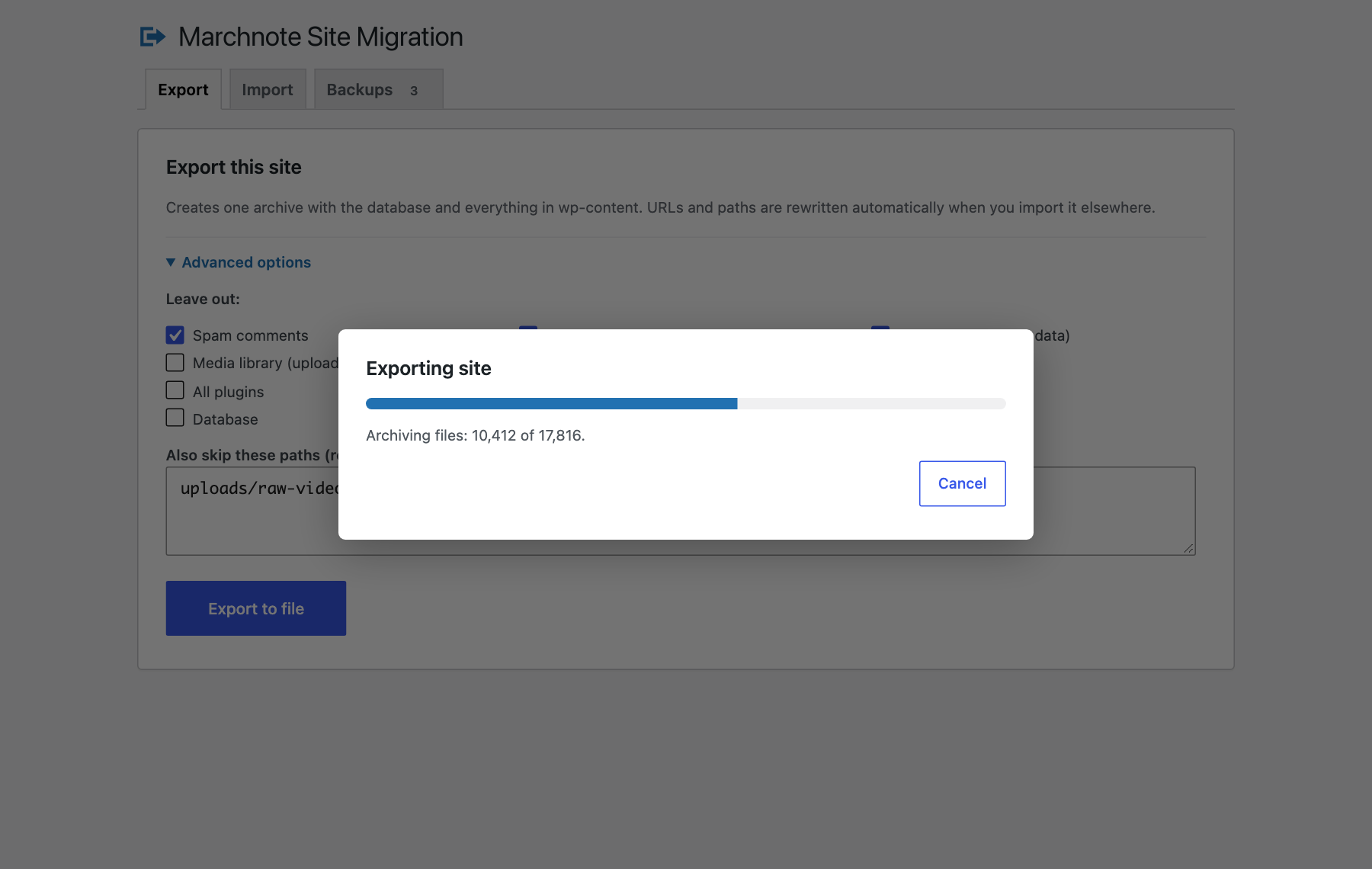
- One-click export of the database, media, plugins and themes. Optionally leave out media, plugins, themes, inactive plugins or themes, must-use plugins, spam comments, post revisions, transients, or any folder you name.
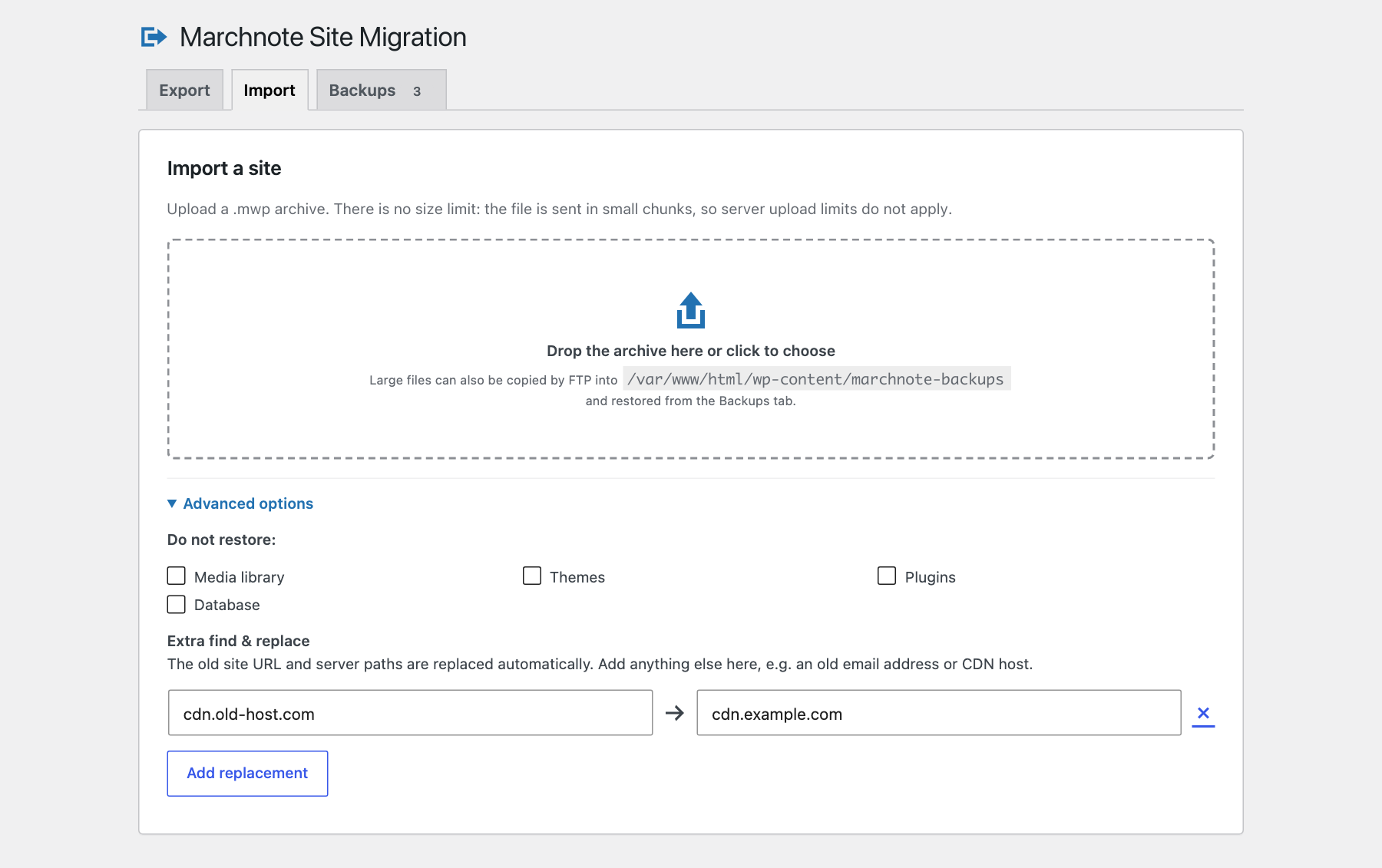
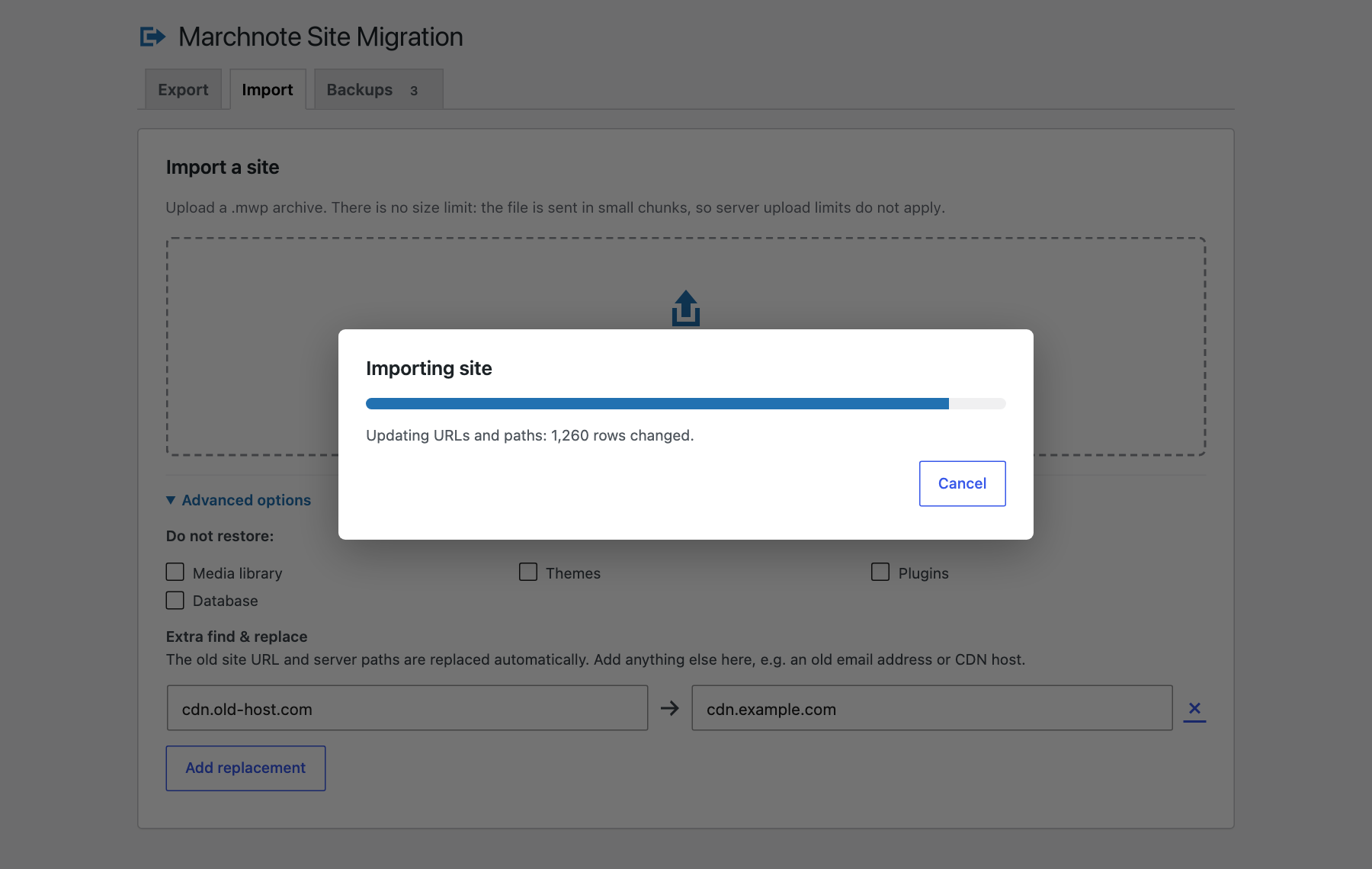
- No import size limit. The browser uploads the archive in small chunks, so
upload_max_filesizeandpost_max_sizedo not limit you, and an interrupted upload resumes where it stopped. - Automatic find & replace of the old site URL and server paths — including inside serialized PHP data, JSON-escaped URLs used by page builders, and URL-encoded values. Add your own replacements too.
- Safe database restore. Tables are imported under a temporary prefix and swapped in with one atomic
RENAME TABLEat the end. If anything fails before that, your live database is untouched. - Different table prefix? Role and capability keys are rewritten automatically.
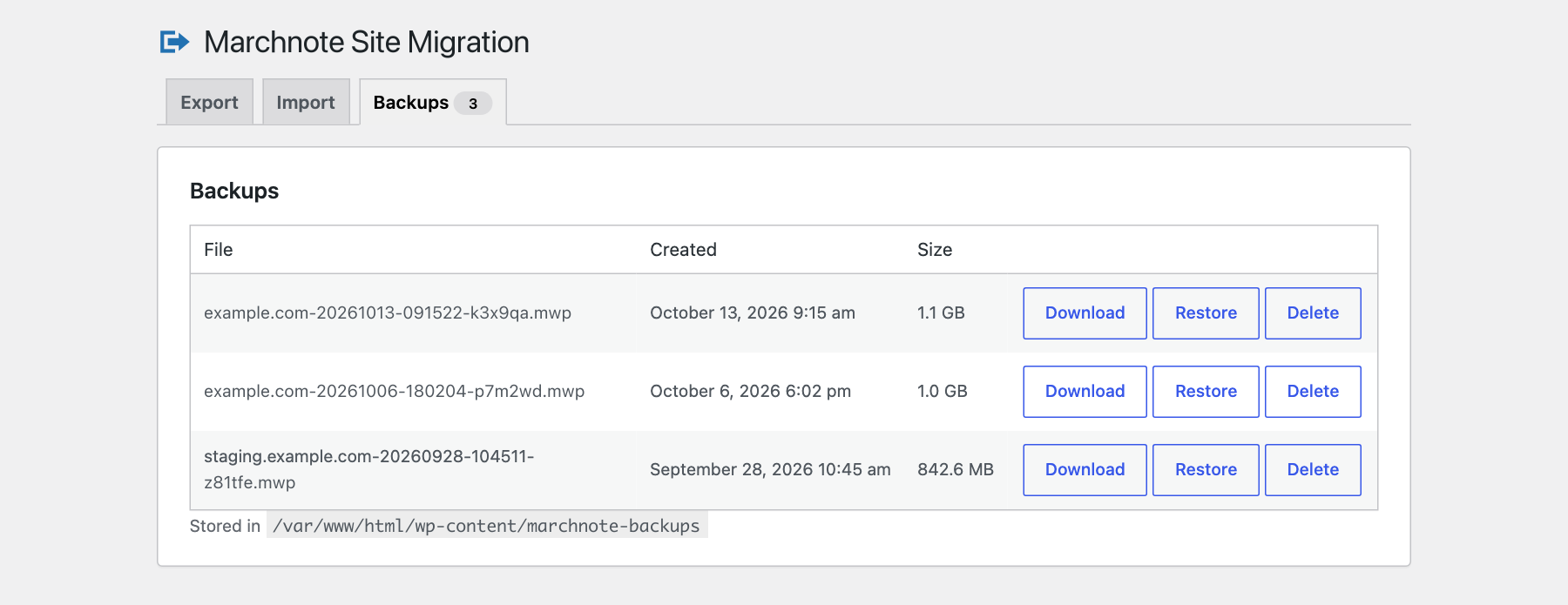
- Backups tab to download, restore or delete archives. Very large files can also be copied by FTP into
wp-content/marchnote-backups/and restored from there. - Resumable. Work runs in short steps, so it copes with low
max_execution_timelimits and retries automatically after a timeout. - WP-CLI:
wp marchnote export,wp marchnote import <file>,wp marchnote list. - Visitors see a short “maintenance” page while an import is running.
Privacy
Marchnote Site Migration does not contact any external server, does not track you, and does not collect any data. Archives stay on your own server until you download them.
Lluniau Sgrin



Gosod
- Install from Plugins Add New, or upload the plugin zip under Plugins Add New Upload Plugin.
- Activate it and open Marchnote in the admin menu.
- On the old site, click Export to file and download the archive.
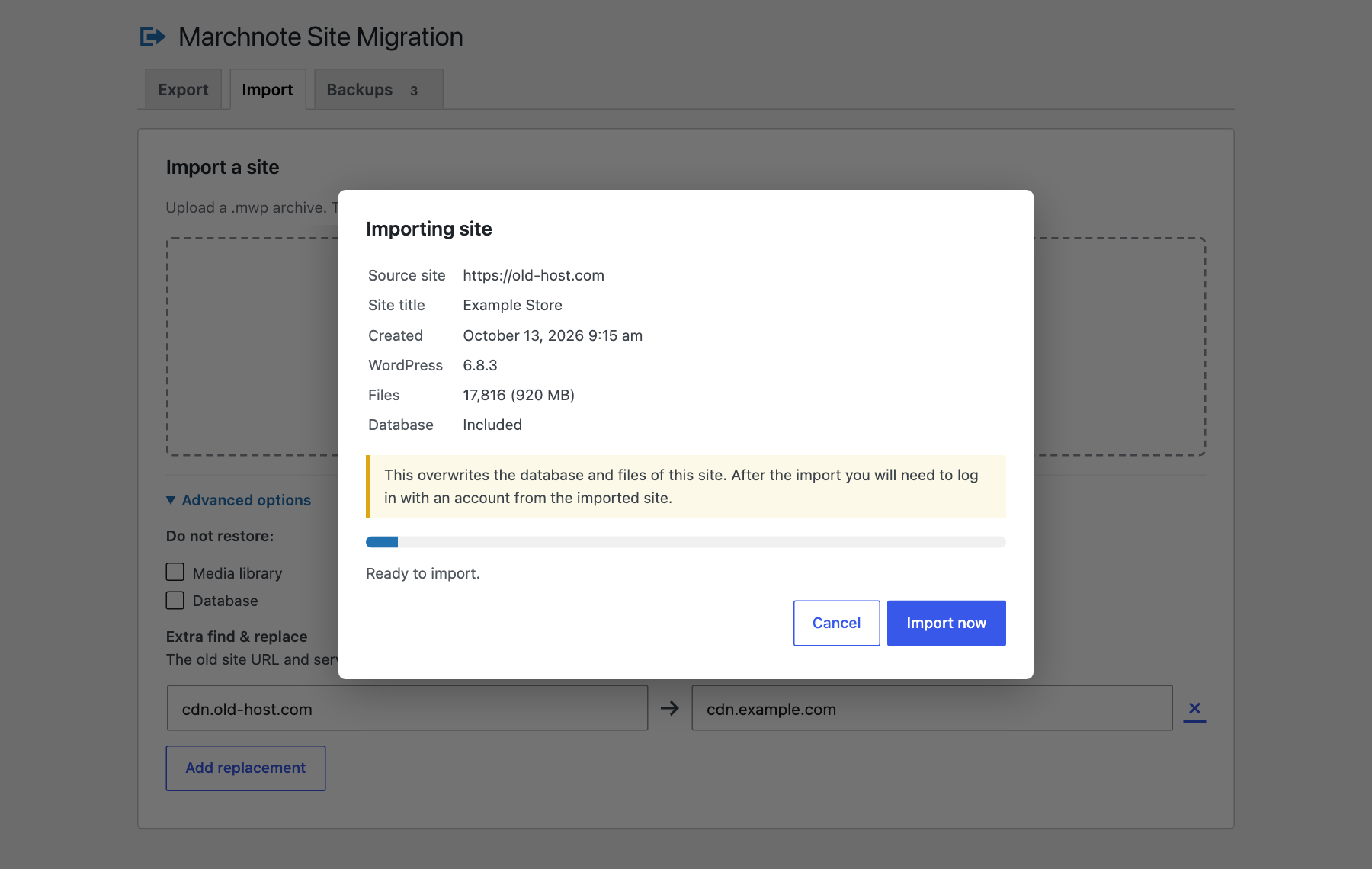
- On the new site, install Marchnote Site Migration, open the Import tab and drop the archive on it.
- After importing a database, log in with a username and password from the imported site.
Cwestiynau Cyffredin
-
Is there a file size limit?
-
No. Uploads are chunked, so PHP’s upload limits do not apply. For very large archives you can also copy the file by FTP or SFTP into
wp-content/marchnote-backups/and restore it from the Backups tab. -
Why do I have to log in again after importing?
-
The import replaces the users table with the one from the archive, so you log in with an account from the site you exported.
-
Does it move WordPress core or wp-config.php?
-
No. Only the database and the contents of
wp-contentare moved, so the destination keeps its own WordPress install and database credentials. -
Does it support multisite?
-
Not yet. Single sites only.
-
Can it import archives from other migration plugins?
-
No. It imports
.mwparchives created by Marchnote Site Migration. -
Are my backups protected?
-
The storage folder is blocked for Apache, LiteSpeed and IIS, and every archive name has a random suffix. On nginx you can also add a
deny allrule for/wp-content/marchnote-backups/. Archives contain your whole database, so delete the ones you no longer need. -
Can I change where archives are stored?
-
Yes. Define
MARCHNOTE_STORAGE_DIRinwp-config.php, or use themarchnote_backups_dirfilter. Themarchnote_step_secondsfilter controls how long each step runs.
Adolygiadau
There are no reviews for this plugin.
Contributors & Developers
“Marchnote Site Migration” is open source software. The following people have contributed to this plugin.
Cyfranwyr
Translate “Marchnote Site Migration” into your language.
Interested in development?
Browse the code, check out the SVN repository, or subscribe to the development log by RSS.
Cofnod Newid
1.0.1
- Renamed to Marchnote Site Migration.
- All database queries now go through $wpdb and prepare().
1.0.0
- First release.